Nocturne at diab.ninja - a new diabetes management platform (beta)
Nocturne is a modern diabetes data management platform that has just become available at diab.ninja in beta. It works in a similar way to Nightscout, but it was built from the ground up using newer technology. If you are considering switching or simply want to try something new, you can now do so through your existing diab.ninja account.
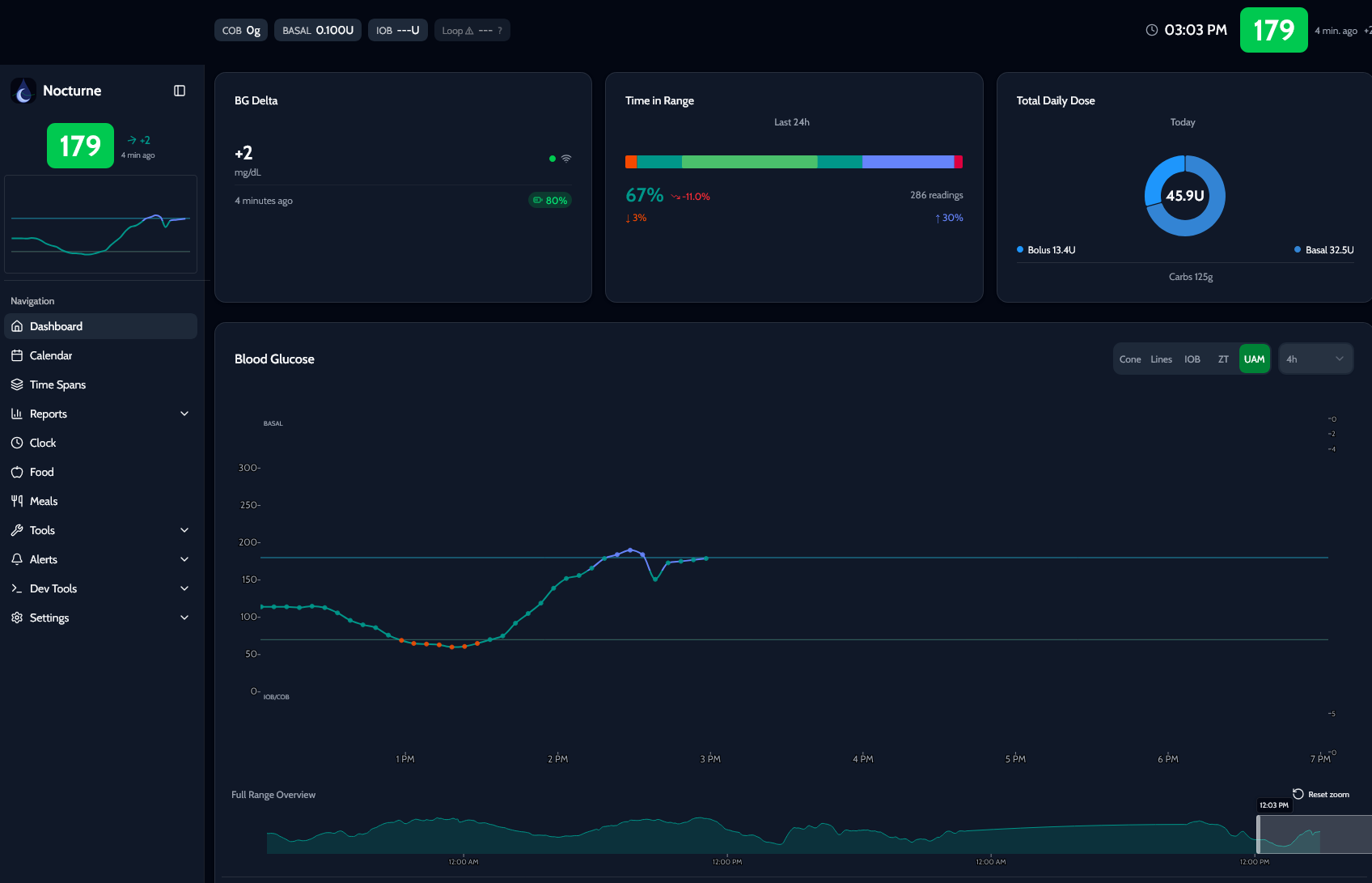
What is Nocturne?
Nocturne collects data from your sensor and pump, then makes it available in one place - through charts, reports, and the apps you use every day. The system has been completely rewritten and provides familiar Nightscout functionality in a faster, more maintainable form.
Key features:
Full Nightscout compatibility
Built-in connectors - support for Dexcom, LibreLinkUp, Glooko, MiniMed CareLink, and others
Modern authentication - you can sign in using your diab.ninja account
Notifications and reports - advanced statistics such as Time in Range and GRI, plus print-ready reports
How do you get started?
Nocturne is available at diab.ninja as a beta. To join:
Sign in to your User Panel at diab.ninja.
Go to the Instances section and select "join Nocturne beta".
Wait for an email confirming that you have been added to the program.
In the instances menu, create a new Nocturne (beta) environment.
After a short while, your Nocturne page will be ready - just click it to open.
A complete step-by-step setup guide, including screenshots and descriptions of all available options, is available in the documentation: https://diab.ninja/en/docs/nocturne/.
What do you need?
An active diab.ninja account.
Access to data from your sensor or pump, such as a Dexcom, LibreLinkUp, or Glooko account.
A web browser.
You do not need to install anything or configure a server - everything runs in the diab.ninja cloud.
How can you check that it works?
After configuring your CGM data connector, wait a few minutes. The first glucose readings should appear in the Nocturne dashboard. Open the chart tab - if you can see a current line and values, the connection is working correctly.
Important information
Beta software may still have minor bugs - if something does not work, report it to the diab.ninja team.
You sign in to Nocturne using your diab.ninja account - there is no need to create a separate password.
API_SECRET is no longer used in its traditional form - Nocturne uses JWT tokens or OIDC authentication. Check your application's documentation to confirm whether it supports the new authentication method.
A few final thoughts
Nocturne looks like a genuinely promising alternative to Nightscout, especially now that its integration with diab.ninja makes it easy to test without setting up your own server. For users who want a more modern system while keeping their existing apps, the beta is worth trying. The complete setup guide is available at: https://diab.ninja/en/docs/nocturne/.